

REQUEST DEMO
Robot CATALOG will be sent to your mailbox immediately after submission.
SUBMIT
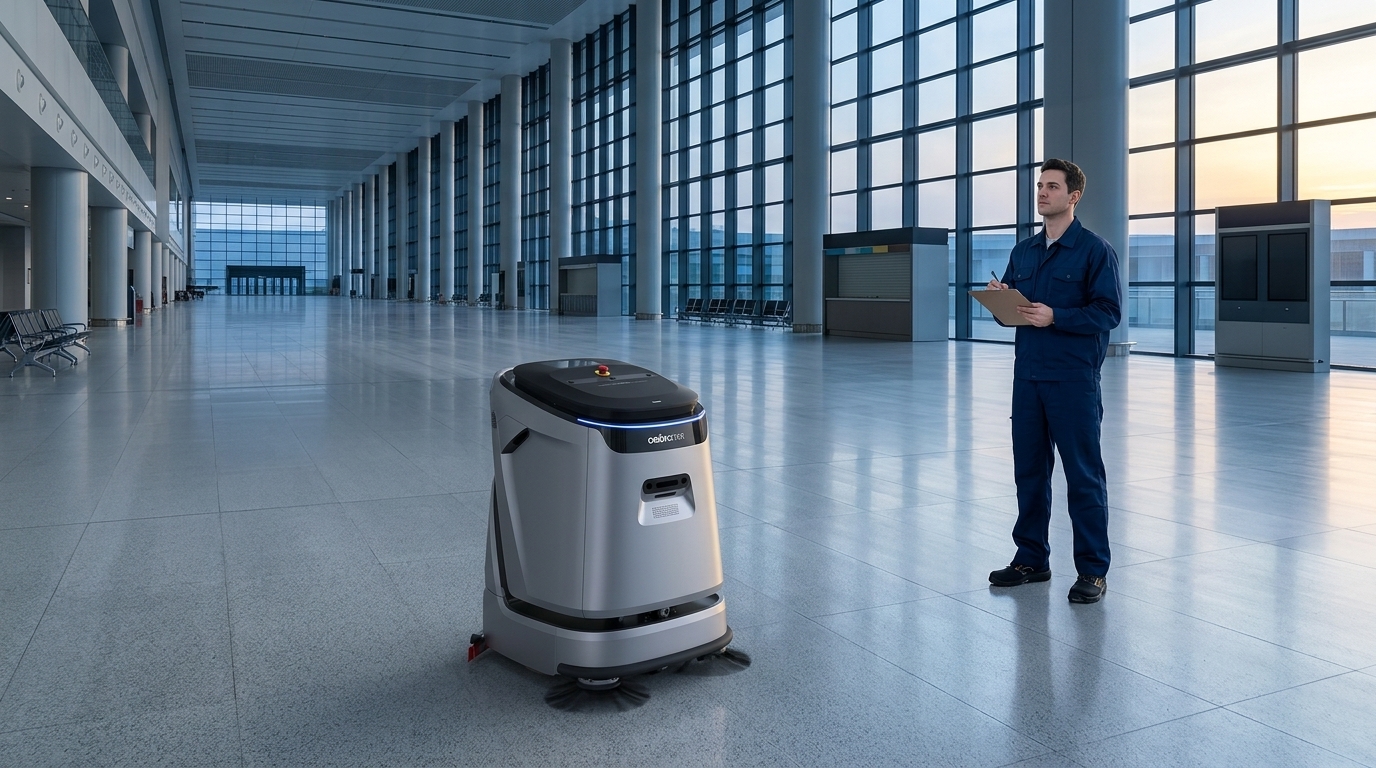
For our OrionStar CleaniBot C5, survey the 820 × 680 × 1130mm body and 550mm main cleaning pass separately, then verify the return-to-service loop. A geometry record, assigned access owner and tested configuration make an initial zone ready—not a generic robot-ready label.
A site survey should answer a simple operational question: which cleaning work is repetitive enough, accessible enough, and important enough to organize around a robot? Do not begin with a broad goal such as “automate the building.” Begin with a defined zone, a cleaning outcome, an expected schedule, and a person accountable for the result.
Separate candidate work into dry-debris removal, dust control, routine wet cleaning, edge or detail work, spill response, and periodic deep cleaning. A robot may be considered for a bounded repeatable portion of that work, while staff retain responsibility for exceptions, setup, inspection, detail work, and response to changing conditions. This division prevents a trial from being judged against work the selected process was never designed to cover.
For facility service companies, this step matters especially because the contract scope, shift window, client access rules, and onsite handoff may vary by location. Treat every building as its own readiness decision, even when several sites appear similar on paper.
Walk the proposed zone with the people who clean it today. Document the surface types, transitions, recurring debris, moisture conditions, furniture patterns, temporary displays, door thresholds, ramps, narrow approaches, and areas that are routinely blocked. The purpose is not to create a perfect drawing. It is to expose the conditions that make a route repeatable or unpredictable.
Classify each area as a candidate, a conditional candidate, or a manual-only area for the initial deployment. A candidate area has a stable task, usable access, and a reliable service plan. A conditional candidate may become suitable after a route, storage, access, or housekeeping change. A manual-only area should not be forced into the first scope simply because it is nearby.
Surface and soil observations should be specific enough to guide the cleaning method, but they should not be converted into assumed compatibility. If a site has specialty flooring, uneven transitions, sensitive finishes, or changing wet conditions, keep those areas as verification questions for the selected equipment and cleaning program.
| Survey asset | What to capture | Readiness gate | If the gate is not met |
|---|---|---|---|
| Floor/task inventory | Zone boundaries, surface conditions, soil types, cleaning outcome, schedule | The initial task is repeatable and has a defined success check | Reduce the scope or keep the area in the manual workflow |
| Route and access record | Entrances, turns, thresholds, doors, shared paths, temporary obstructions | The route can remain available during the planned cleaning window | Change the window, reroute, or establish an access procedure |
| Service-point map | Storage, charging location, water and wastewater workflow, supplies, inspection point | Service steps fit the site without blocking normal operations | Choose another service location or revise the operating plan |
| Operator ownership plan | Primary operator, backup, supervisor, escalation contact, client contact | Someone is accountable at every handoff | Assign roles before expanding beyond a limited trial |
| Readiness action list | Open issues, owner, due date, verification method | Critical gaps have an agreed action before launch | Hold the affected zone out of scope |
A route is more than the area to be cleaned. It includes the trip from storage to the work zone, entry through doors or controlled points, the usable cleaning path, pauses caused by people or activity, the return path, and the location where the unit is inspected and serviced. Walk this entire sequence at the time the work is expected to happen, not only during a quiet survey.
Record CleaniBot C5’s 820 × 680 × 1130mm body envelope separately from its 550mm main cleaning width. The first informs storage, approach and clearance questions; the second informs cleaning passes. A route is not ready merely because a door exceeds body width. C5 becomes a candidate for an initial zone when the available geometry supports a repeatable scrub path and its return loop, not merely when the floor area is large. Use the action list to solve the limiting access or service issue before expanding the route.
Define access ownership. If a door must be opened, an area must be cleared, or a security point must be coordinated, identify who does it and by when. A route that depends on an informal favor is not yet a dependable operating route.
The service point is where a cleaning routine becomes sustainable or inconvenient. Map the proposed storage location, charging arrangement, water-related workflow where applicable, wastewater handling workflow where applicable, consumables, cleaning tools, inspection area, and the path between them. Keep this map tied to the actual shift sequence rather than treating it as a back-room detail.
For a large-commercial candidate such as CleaniBot C5, the site should verify how supported cleaning tasks fit the area and how the team will handle the service routine. C5 supports scrubbing, vacuuming, sweeping, dust mopping, and wastewater recovery. With a suitable configured workstation, it supports automatic charging, clean-water refill, wastewater discharge, and wastewater-tank self-cleaning; those functions still require a suitable configuration and do not remove the need for operator oversight and routine maintenance.
Do not assume that an observed option applies universally or that it eliminates the need to plan service access. Ask which water-service alternatives are available for the exact quoted configuration and how filling, wastewater handling and daily inspection would work. Availability and inclusion need confirmation in the proposal.
A robot deployment needs named people, not just a department. Assign a primary operator for routine preparation and post-cleaning inspection, a backup operator for absences, a supervisor who can change scope or schedule, and a site or client contact for access changes. These roles can be simple, but they should be visible to everyone affected by the cleaning window.
Write the handoff sequence in plain language: who confirms the zone is available, who starts the routine, who checks the result, who returns the unit to its service point, and who records an exception. The goal is not a lengthy policy. It is a shared answer when a route is blocked, a floor condition changes, or the result needs follow-up.
Facility service companies should also decide how the operating team communicates with the account lead and client contact. A recurring route may depend on the client keeping a hallway clear, moving temporary displays, or providing access at a scheduled time. Make those dependencies explicit before the routine becomes part of a service promise.
| Role | Before cleaning | During the window | After cleaning |
|---|---|---|---|
| Primary operator | Checks access, zone condition, and service readiness | Monitors the planned workflow and handles defined exceptions | Inspects the area and completes normal service steps |
| Backup operator | Knows the route, location, and escalation contacts | Takes over when the primary operator is unavailable | Records handoff details for the next shift |
| Supervisor | Approves scope, schedule, and readiness actions | Decides whether to pause, reroute, or return work to manual cleaning | Reviews recurring exceptions and adjusts the operating plan |
| Site or client contact | Confirms local access expectations and changes | Receives escalation when the site condition affects service | Coordinates changes that alter the agreed cleaning window |
Readiness is stronger when it is reviewed as a series of gates. A site does not need every future area solved before an initial deployment, but the first proposed zone should meet its essential gates. Keeping unresolved conditions visible is better than expanding the scope to hide them.
When CleaniBot C5 cross-floor support is proposed, add interface/permission confirmation and a witnessed lift/return-path check to the affected access gate. Keep the configured station service gate separate; mark the affected zone pending until its integration and utility dependencies are verified. This can make a shared-floor C5 workflow worth evaluating, but only after the affected routes have an accountable access owner and tested return path. Keep unrelated ready zones available for a bounded initial scope while unresolved integration remains on hold.
Use a readiness action list for every gap. Each item should state the condition, the risk to the routine, the person responsible, the next action, and the decision point. Examples include relocating storage, adjusting a cleaning window, creating a door-access handoff, separating an event area from the route, or confirming the workflow for a selected configuration.
Once the site inputs are complete, product discussions become more useful. Rather than asking for a universal commercial cleaning solution, compare candidates against the specific task, route, service point, and ownership plan already documented. A suitable preliminary fit for a large space may differ from a suitable fit for a compact, frequently changing area.
Consider CleaniBot C5 when the surveyed work is in a large commercial setting and the candidate task aligns with its supported scrubbing, vacuuming, sweeping, dust-mopping, or wastewater-recovery functions. Before moving forward, check that the proposed route, service-point workflow, and operator plan can support the chosen scope. Large-commercial positioning is a starting point for a shortlist, not verified suitability for every large site.
Consider OrionStar CleaniBot S55 Pro when a compact commercial cleaning robot is being explored and the site has identified a manageable, repeatable zone. CleaniBot S55 Pro supports six cleaning modes, but that count does not establish compatibility with every surface, soil condition, route, or service requirement. Confirm the actual floor and task requirements before placing an area in scope.
Before requesting a product discussion, assemble a concise readiness package: the floor and task inventory, a route and access record, a service-point map, named operator ownership, and an action list for unresolved conditions. These inputs make it easier to discuss a conditional shortlist without overstating what a product can do at a specific site.
Ask focused questions: Which tasks are supported for our proposed zone? What site conditions need confirmation for our floor and route? What service configuration is suitable for our intended workflow? What operator actions remain part of routine use? If a workstation is under consideration for CleaniBot C5, ask which configured functions apply and what the site must provide. If a mobile water-tank option is discussed, ask whether it is available for the selected configuration and how filling and draining would work.
Keep the first scope narrow enough to learn from normal operations. Expand only after the team can consistently manage access, service, inspection, and exceptions for the initial zone.
Assign each gap a named owner, a corrective action, a due date, and a verification method. The supervisor should decide whether the affected zone stays out of scope until the action is verified. A department name or a general promise to resolve access is not a complete handoff.
No. A pilot supports a decision only for the tested tasks, routes, windows, service arrangements, and staffing process. Before expanding, review each added zone’s floor, access, utility, and ownership gaps and confirm that the team can sustain the initial routine under normal operations.
Keep the affected route out of scope when required storage, charging, water or wastewater arrangements are unconfirmed, access depends on an informal favor, or no one can restore a blocked service path. Verify the requirements of the chosen configuration and assign the responsible building and operating roles before launching that route.
No. With a suitable configured workstation, CleaniBot C5 supports automatic charging, clean-water refill, wastewater discharge, and wastewater-tank self-cleaning. The site should still assign people for preparation, inspection, exceptions, and routine maintenance responsibilities.
No. CleaniBot S55 Pro supports six cleaning modes, but mode count does not prove compatibility with every surface, soil condition, route, or operating environment. Confirm the proposed floor and task before including an area in the deployment scope.