

REQUEST DEMO
Robot CATALOG will be sent to your mailbox immediately after submission.
SUBMIT
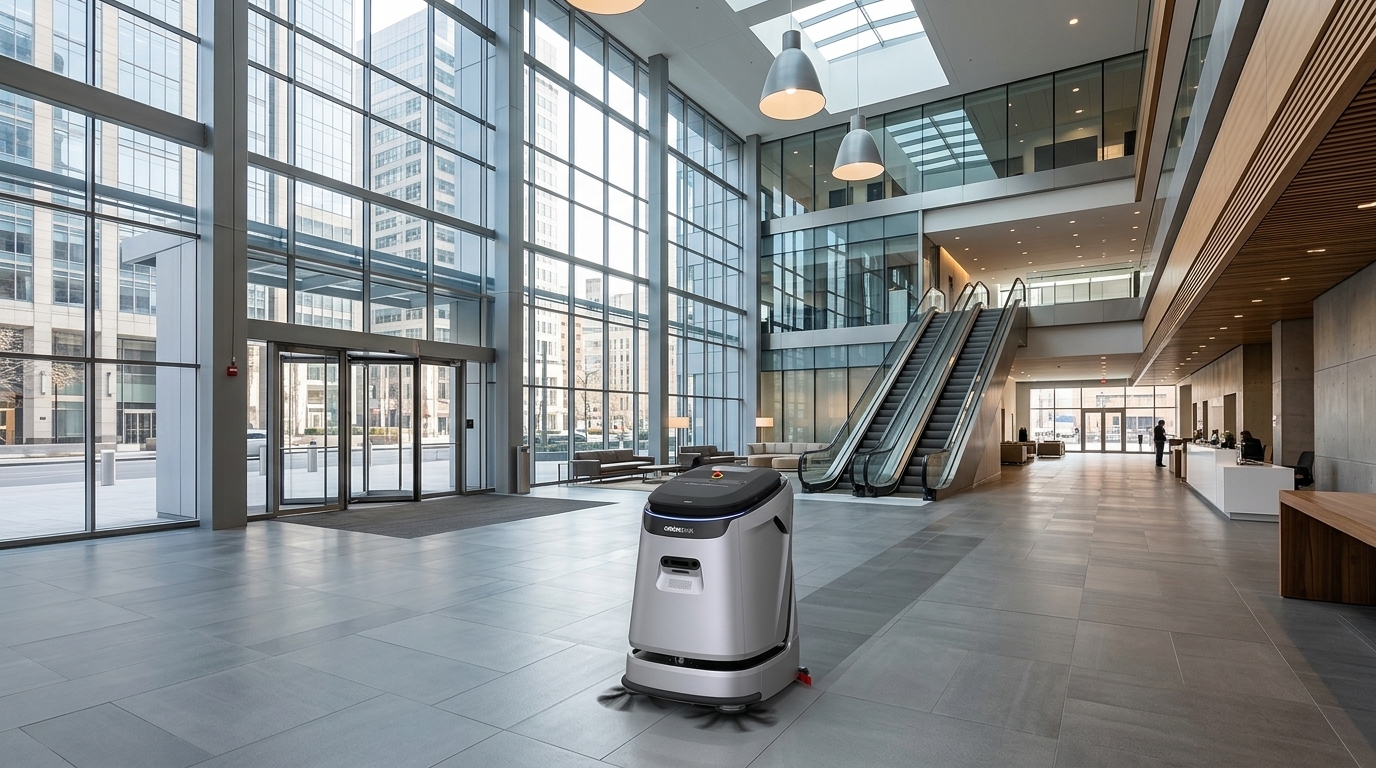
Our airport operating plan should record released zones, selected task, service readiness and unfinished work at each shift handoff. For OrionStar CleaniBot C5, water and charging readiness are separate from passenger-area release, so a completed service cycle must not close a missed route.
Airport cleaning schedules cannot be treated as fixed overnight programs. Passenger flows, gate changes, arrivals, departures, queue formation, concessions, maintenance access, and temporary barriers can all change whether a route is practical at a given moment. A route that is clear at the start of a shift may become unsuitable before the next pass begins.
Build the daily plan from operational windows rather than from a simple list of square footage. An operational window is the period when a zone can be released for cleaning without creating unnecessary conflict with passenger movement or airport activity. Some windows may be brief and repeatable, such as between peak queue periods. Others may be longer but less predictable, such as a concourse segment affected by gate activity.
Use a rolling release process. The facility or terminal contact identifies a zone that is available, the cleaning lead confirms the route and task are appropriate, and the operator records the start condition. If the area changes before work begins, release it again later instead of forcing the original schedule. This approach makes the plan responsive without turning every interruption into a failure.
A useful airport zone is more than a map boundary. It combines a defined floor area, a cleaning objective, expected traffic condition, access points, stopping points, and an owner for release. This gives the operations team a common language when conditions change during a shift.
Start with zones that have different operating conditions rather than grouping all public space together. For example, an open concourse may need a different release rule from a gate hold room, a security-adjacent circulation path, a baggage-facing corridor, or a restroom approach. The goal is not to make the map complicated; it is to prevent a route designed for one condition from being used automatically in another.
For each zone, document the expected surface condition and the cleaning outcome required for that visit. A dry debris pass, a dust-mopping task, and a wet-cleaning task can require different release decisions. Do not assume that a cleaning mode or machine is suitable for every floor finish, slope, transition, drainage condition, or passenger-area layout. Confirm site conditions before assigning the task.
| Zone type | Release condition | Operator decision | If interrupted | Recovery record |
|---|---|---|---|---|
| Open concourse | Passenger flow is manageable and route edges are clear | Use the planned task only after confirming the current route is open | Pause or move to an alternate released zone | Record the unfinished segment and the next practical window |
| Gate hold area | Gate activity and seating-area use allow cleaning access | Confirm the release with the relevant terminal contact | Withdraw before the area becomes active again | Note the gate area, remaining work, and reason for deferral |
| Queue-adjacent path | Queue layout and temporary barriers leave a workable path | Check the live queue arrangement before starting | Stop if the path becomes constrained or queue conditions change | Return only after a new release |
| Connector corridor | Access routes, doors, and service movements are clear | Confirm that the route will not block through-movement | Use a substitute zone if access is lost | Log the blocked point and any partial completion |
| Back-of-house transition | The assigned service route is available and task materials are ready | Use it as a staging or recovery area only when authorized | Hold work until access is restored | Record readiness issue for the next handoff |
Passenger-area safeguards are operational controls that help the team decide whether work should begin, continue, pause, or move elsewhere. They should be simple enough for supervisors and operators to use during a busy shift. The key question is not whether a route exists on a plan; it is whether the route remains appropriate in its current surroundings.
Define clear no-start conditions. These may include an obstructed work path, active queues extending into the route, a spill response already underway, a temporary barrier arrangement, unusual crowding, an emergency or security instruction, or an unresolved floor condition. A no-start decision is not lost productivity when an alternate zone is ready.
Also define stop conditions. A route can become unsuitable after it begins, so staff need permission to intervene without waiting for a lengthy escalation. The handoff record should show whether work was completed, paused, stopped, or redirected. That distinction prevents the next shift from treating an interrupted route as finished.
Cleaning robot operations can lose continuity when one team assumes the next team knows what happened. A route may have been partially completed, skipped because of passenger traffic, redirected to another area, or held pending access. The handoff log is the practical bridge between shifts, not an administrative afterthought.
Record the actual CleaniBot C5 task or selected OrionStar CleaniBot S55 Pro mode with the completed/partial/paused route status. A dust-maintenance pass is not evidence that the agreed scrub task was completed; the incoming shift should recover the correct outstanding task after a new release. This keeps a flexible cleaning program useful without substituting a lighter task for the required result. The operator can redirect capacity to another released task, but must leave the original wet-work item visible until its own completion check is met.
The incoming lead should review exceptions before assigning routine work. Start with public areas carrying the greatest cleanliness need or the longest missed-work exposure, then fit lower-priority work into newly released windows. This prevents the team from repeatedly restarting a standard sequence while older interruptions remain unresolved.
| Handoff field | What to record | Why it matters |
|---|---|---|
| Zone and route segment | Exact area, entry point, and unfinished portion | Allows the next shift to resume without guessing |
| Status | Completed, partially completed, paused, blocked, or redirected | Distinguishes missed work from planned work |
| Interruption reason | Traffic, access, temporary barrier, operational request, or floor condition | Shows whether the issue is likely to recur |
| Next release opportunity | Known time window or the contact who must confirm availability | Turns a deferral into a follow-up action |
| Recovery priority | High, normal, or monitor based on local cleaning needs | Helps the incoming lead sequence work |
| Readiness note | Any preparation, supplies, equipment location, or support step still needed | Avoids a route being assigned before it can begin |
Interruptions are expected in passenger facilities. The useful response is a recovery ladder that tells the team what to do next. Without one, missed work can either disappear from the plan or be pushed into an unsuitable time window.
First, decide whether the original task still needs to be completed in the same zone. If the condition has changed, the right recovery may be a different task, a shorter segment, or a later pass. Second, decide whether the zone can be released soon. If not, move capacity to a pre-approved substitute zone and retain the original item in the exception list.
Third, set an ownership point. A deferred route should have a named person or next-shift role responsible for checking the release condition again. Repeatedly writing “deferred” without an owner creates hidden backlog. At the end of the operating day, review unresolved exceptions and decide whether they require rescheduling, a changed route design, or a revised zone rule.
For airport planning, the first selection question is what work must be performed in each released zone and what support conditions are available between routes. Consider route width, floor condition, access to staging areas, transition points, cleaning method, water handling, operator availability, and the expected frequency of interruptions. A large-commercial positioning does not by itself establish that a machine fits a particular terminal, concourse, or surface.
Consider CleaniBot C5 when the plan calls for a large-capacity scrubber in a large commercial setting and the site team can confirm that its intended routes, cleaning tasks, staging arrangement, and floor conditions are appropriate. C5 supports scrubbing, vacuuming, sweeping, dust mopping, and wastewater recovery; use those task capabilities only after matching them to the specific zone and surface requirements.
For C5’s separate 45L clean-water and wastewater tanks, add readiness and service-return exceptions to the handoff record alongside the exact unfinished passenger-area segment. A configured station can support refill, discharge, charging and tank self-cleaning; it cannot mark an interrupted gate route complete. A repeatable service handoff can make C5 useful across released airport work windows, provided service readiness is recorded independently of passenger-area availability. The next shift should allocate ready capacity to released work while preserving the backlog from closed zones.
Consider CleaniBot S55 Pro when a compact commercial cleaning robot is being explored for a zone whose access, layout, surface conditions, and operational controls have been checked locally. S55 Pro supports six cleaning modes, but the mode count does not establish compatibility with every airport floor or every passenger-area task.
Bring an operational map rather than only a floor plan. Mark public and service zones, likely traffic peaks, route entry and exit points, staging locations, temporary-barrier patterns, water and wastewater handling arrangements where relevant, and contacts who can release changing areas. Include the floor types and any transitions that need site review.
Ask which zones have dependable quiet windows, which zones are released only by live operational conditions, and which interruptions occur most often. Ask who owns the decision to pause or redirect work, how the next shift receives unresolved items, and how a supervisor wants missed work prioritized. If a workstation or optional tank configuration is being considered, ask what configuration is available and whether the proposed service location supports the required operating routine.
Finally, ask what “complete” means for each zone. A clean appearance at the end of a window, completion of a defined task, or documented recovery of an interrupted segment are different operational outcomes. Defining them in advance gives the team a practical basis for route release, handoff, and follow-up.
In high-traffic airport areas, a suitable fit is usually the robot and operating process that can work within released windows, pause when conditions change, and leave a clear record of incomplete work. Start with the zone, cleaning task, floor conditions, access, and handoff process rather than choosing by a general traffic label. For large commercial wet-cleaning plans, CleaniBot C5 may be considered after those site checks; for compact commercial positioning, CleaniBot S55 Pro may be considered after confirming the specific route and surface conditions.
There is no universal choice for every airport area. The practical decision is whether the machine's supported tasks and the site's operational setup match the released zones. CleaniBot C5 supports scrubbing, vacuuming, sweeping, dust mopping, and wastewater recovery, while CleaniBot S55 Pro supports six cleaning modes; neither set of capabilities alone confirms suitability for a particular airport surface, route, or passenger-area condition.
Record the exact unfinished segment, the reason for interruption, the next possible release window, and the owner for follow-up. Then choose whether to resume, split the route, substitute another released zone, or replan the route if the same conflict keeps occurring. The key is to preserve the missed-work item through the next shift handoff.
Include the zone, route segment, current status, interruption reason, next release opportunity, recovery priority, and any readiness issue that could prevent work from starting. A short structured record is more useful than a general note because the incoming team can act on it immediately.
With a suitable configured workstation, CleaniBot C5 supports automatic charging, clean-water refill, wastewater discharge, and wastewater-tank self-cleaning. Confirm the proposed workstation configuration, service location, and ongoing operating responsibilities as part of the site plan; these functions do not eliminate the need for operator checks or shift handoffs.